
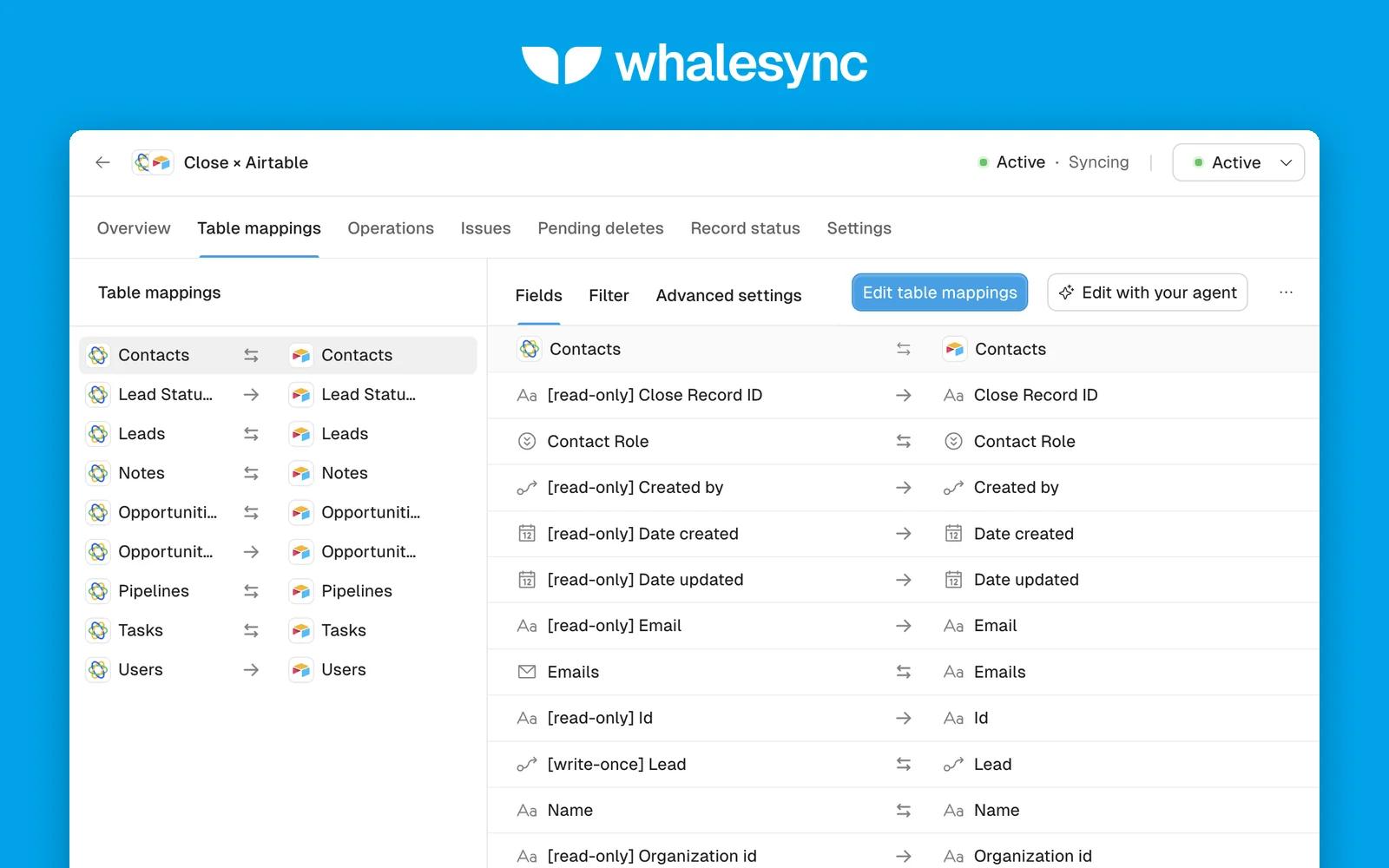
Whalesync keeps Close in true two-way sync with your other tools. Update a lead in Close and it is in Airtable within a minute. Edit the row in Airtable and Close follows.
Pipeline reporting: sync opportunities into Google Sheets, Airtable, or Postgres and build the reports you want. Bulk edits and cleanup: fix hundreds of leads and contacts in a spreadsheet and push the changes back to Close. Enrichment and scoring: run enrichment or AI scoring in Airtable or Sheets and write the results back to Close.
Two-way sync. Automation tools are built for one-way, if-this-then-that steps. Whalesync is built for keeping two apps the same. Choose the direction per table.
Fast updates. Whalesync listens for Close webhooks, so changes to leads, contacts, opportunities, notes, and tasks sync within a minute, not on a timer.
No duplicates. Whalesync matches the records you already have instead of creating copies.
Custom fields included. Your custom fields on leads, contacts, and opportunities show up as columns.
Free to try. Your 7-day trial starts with every feature unlocked. No credit card required.
Sync Close with: Airtable, Notion, Google Sheets, Postgres, Supabase, HubSpot, Attio, and more.
Supported objects: Leads, Contacts, Opportunities, Tasks, Notes, and Pipelines sync both ways. Lead statuses, opportunity statuses, and users come along read-only so your links resolve.
MCP server and API. Connect Claude, ChatGPT, or Cursor to set up and monitor your Close syncs, or manage them from your own code.
Security. SOC 2 Type II and GDPR compliant.
To get started, click Connect with Close and sign in or create a Whalesync account (your 7-day free trial starts right away). Paste a Close API key, connect the other app, pick the tables to sync and map the fields (Whalesync suggests matches by name), then turn the sync on. See the setup guide for details.


