
Breaking news: You probably already use AI 50+ times a day. That little underscore in your email, highlighting a grammatical issue? AI. Ditto for Google Maps, which reroutes you to work without you having to think about it.
AI is no longer an emerging technology. It’s been around, humming in the background of our personal and professional lives.
This is great news for founders. If AI is already embedded in your daily tools without any additional conscious onboarding, you’re in good shape. You can hop into the driver’s seat to intentionally adopt AI for your business.
The question is: How do you go about doing that? We’re going to answer that and then some.
The Hidden Truth: AI Is Already Running Parts of Your Business
For many founders, the mistake is assuming that AI is a distant dot on the horizon. The reality is that AI is already a part of your life.
And it’s in your business, too. Lots of invisible systems are making decisions inside your daily business operations:
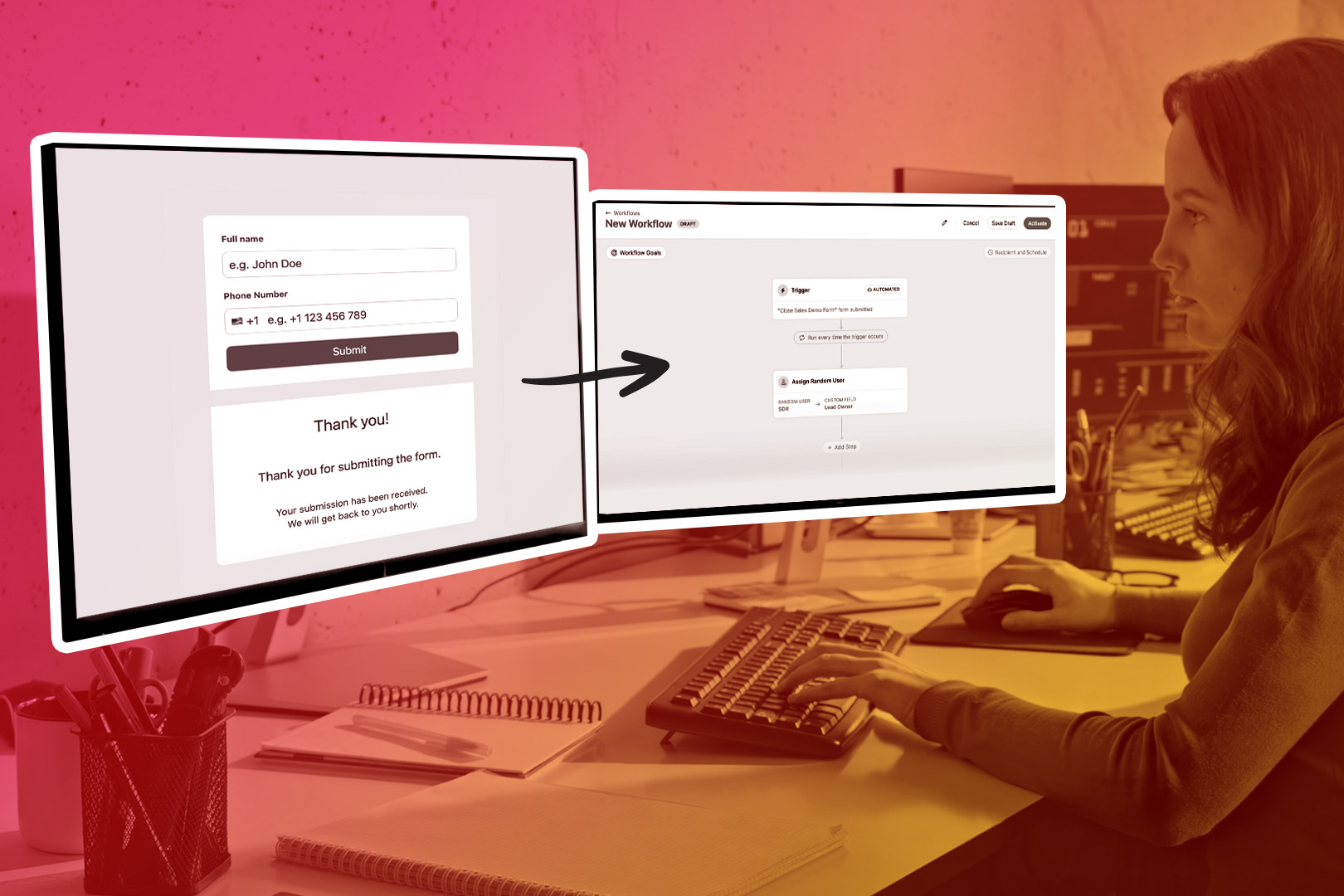
- In your CRM? AI may automatically assign an incoming lead to the right SDR.
- In your email? AI is distinguishing between spam and legitimate incoming emails.
- In your accounting tools? AI is using pattern data to decide how to categorize your latest expense.
AI-powered operations are already seamlessly integrated into much of the digital landscape. In fact, you probably haven’t noticed these new ways AI is tied in, as your business has hummed along as usual.
So the question is no longer “Should we use AI?” The question is whether you’ll learn how to steer the AI that’s already operating in your tech stack.
If these tools are nice little additions that make your business more efficient, are there superior levers to pull?
To answer that, you’ll have to know more about what AI is—and what it’s actually capable of.
AI in Plain English: What Founders Actually Need to Know
Think of AI as pattern-recognition software.
You train this software on massive amounts of text and data. In return, it utilizes algorithmic learning to generate human-like responses, helping you process that information quickly and easily.
AI is just a computer doing its job, the same way your calculator is much faster at finding square roots than your brain is. The advantage, similarly, is that it can spot patterns much faster than humans can. Integrating that into the rest of your business systems provides several advantages, including speed, automation, and convenience.
Every tool you’re using to run your business (CRM, customer support tools, and accounting) is collecting data and helping you make decisions. In some cases, it’s making tiny decisions for you.
Is it important that you understand how the AI algorithms work? No. You don’t have to know how flight works to get on a plane, either. But you should realize what a flight could mean for your ability to get from A to B.
Ditto for AI. If you want to grow your business, you should know a little bit more about it and how much it can “lift” you.
The Four AI Levers Every Founder Should Be Pulling
To be clear, AI isn’t a monolithic tool. It’s not a vague concept like “speed,” where you simply can tell your team: “More speed, please.”
“More AI” is not a specific solution.
Instead, AI is a collection of levers you can pull. And which lever you choose to pull can depend on your specific business needs and current bandwidth. Here are some key levers to think about off the bat:
- Automation. Imagine offloading a repetitive workflow, like tagging an inbound lead so it funnels to the appropriate sales rep. How many minutes of each day does that free up? Other AI tools, like routing customer support tickets or triaging emails, similarly free your time so you can focus on big-picture decisions.
- Decision support: Maybe AI can look at your current data and surface some “risk,” flagging it for your attention. Maybe it can identify anomalies in your financial data. Or for sales, it can forecast trends or predict customer churn. Whatever it does, it doesn’t replace your people—it simply alerts them to what they should be thinking about.
- Creation: Want to create new content? Maybe you don’t want AI to write for you. But it can spark a few ideas if you have it kick off a new email draft. Let it write a report. Let it draft a summary of your meeting. Let it take a crack at a lead-generating eBook, even if it’s not your final draft.
- Customer communication: AI can handle automated follow-ups and personalize messages so customers know you’re thinking about them. Conversational AI can also handle customer intake. Let it “triage” incoming chat queries so it can alert your team when there’s something especially urgent.
Remember: this is a list of levers. You don’t have to pull them all at once. Identify the biggest win for your business and start there, because that’s the simplest way to unlock ROI from AI as quickly as possible.
A Founder-Friendly Framework for Taking “AI” Control
It seems weird to call this advice outdated, but remember “learn to code”? For a while there, it was everywhere. Everyone needed to learn to code. Coding was the future!
Then AI came along and essentially eliminated all that.
Don’t make the same mistake here. You don’t have to “learn AI” the way people once said “learn to code.” Instead, think of AI as part of an overall strategy. AI has created a series of tools to adopt, but it’s not a new language you have to speak.
There’s nothing to learn here. But you do have to lead your business into the new reality that AI will make every business faster and more efficient.
To help you along, consider adopting this three-step framework to build confidence and momentum in how you incorporate AI tools into your business.
Step 1: Identify Where AI is Already Making Decisions
Email? CRM? Support? Accounting? Scheduling?
You probably already have some AI tools in your toolbox. List them out and categorize them. Are there any decisions that have already happened without human involvement?
If so, you’ll get a sense of what already works for you in business. This demystifies AI and highlights how much it’s already doing for you.
From there, it probably won’t be hard to imagine a few more use cases where you can turn the AI needle up a touch.
Step 2: Decide If You Want More, Less, or Different Automation
Here’s where you move from “evaluation” mode to leading your company in a new direction. Ask yourself what your next step will be. More AI? Less AI, simplifying your basic processes? Or changing AI tools?
Don’t make this decision without looking through your business’s current workflows. Ideally, you can tie AI tool capabilities to your needs to automate what your people already do at your company.
From there, start thinking in terms of the improvements you can make.
- If you want more speed, you should look for hands-off automation.
- For greater accuracy, you may need additional AI tools to identify potential problem areas in your business: your books, your sales workflows, or common customer complaints.
- If you want cost savings, you can shop around for different AI tools—or even find a few tools you already use that have AI built right in.
Step 3: Add One New AI-Powered Workflow per Week
The fastest way to burn out on AI: try to do it all at once.
This isn’t a race to the moon. You just have to get started. You want to kick off the compounding effects of AI by implementing it into actual, contributing workflows your business uses.
“More AI, please,” isn’t a way to improve your business. “Wow, we just completely automated our follow-up workflow.
Find those instant wins, because once you automate something with AI, you may never have to worry about it again. It might not show up immediately on the bottom line, but it beats launching ambitious AI projects that your business never fully adopts.
You want more AI clarity? This is it. Identify one simple workflow you can outsource to AI this week, and then stop tinkering with it once it’s finished. You’ve just freed untold amounts of time if you never have to work on it again.
The Shift from “Using AI” to Leading With It
The bad news—if you can call it that—is that you already use AI. The good news is that there are still mountains of untapped potential in this space. One study even found that “the specific use of AI in the CRM context remains…unexplored.”
If you want to lead? You can explore it. You can be the one to say: “Hey, AI is already in my world and already in many of the tools I use. If I want to push forward and take control, I can do that with a simple step.”
Start by understanding how you already use AI, then look for spaces—like your CRM, for example—where you can automate.
You already let AI work for you in the background. You already let AI make microdecisions for you. So maybe it’s time you make the macro decision to lean into AI. Control the robots before they control you.
If you want a quick AI win, consider trying a free trial of Close CRM and seeing all of its AI capabilities for yourself.