
At the beginning of 2025, the Close team set our sights on two big outcomes for our customers:
- Help our customers manage their whole inbound lead flow in one place: Close
- And make Close fast and magical in setup and customization (<30 minutes to set up a CRM from scratch)
These goals help Close customers move faster in a simpler, more focused setup.
- Fewer tools to juggle = saving money and troubleshooting time
- Inbound lead flow in one tool = faster speed to lead, more closing deals, and nothing slips through the cracks
- Faster set up = getting to the wow experience with Close in minutes
Here’s a round-up of the many (many) powerful new features in Close that paved the way for a successful *check, check* of these two goals, all in pursuit of helping you sell faster and easier.
1. Automation that runs your sales ops (not just your emails)
Workflows graduated from “follow‑up machine” to full‑blown sales ops engine this year. Now, you can cut your Zapier costs, reduce wasted troubleshooting time, and run more reliable automations directly in Close.
Smarter triggers & actions
You can now run far more of your revenue process directly in Close:
- Event‑based triggers
- Kick off Workflows from Custom Activities, Opportunities, and Contacts (e.g., when an Opportunity is marked Won or a specific custom event is logged).
- Trigger Workflows when an Opportunity stalls and “Needs Attention,” so aging deals don’t go ice-cold.
- Launch Workflows off Call events, with filters for Outcomes, direction, or duration—perfect for automating follow‑ups, reassignment, or tasks.
- Operational actions, not just outreach
- Update Lead as a Workflow step, mapping trigger data into any standard or Custom Field.
- Use AI Enrich inside Workflows to automatically research and enrich new or high‑value Leads as they come in.
- Automatically create Opportunities, update Tasks, or assign work to the right rep as it moves through your pipeline.
Better timing & guardrails
We also gave you tighter control over when automation fires:
- Minute‑level delays for near‑instant reactions to form fills and other key events.
- Email drafts in Workflows so you keep a human in the loop on important outreach steps. Automation + human review = perfect custom communication.
- Runs View to help you review every Run of every Workflow in one place
- Conversion goals that automatically remove people from a Workflow when they book a meeting or their status changes.
- Blackout Dates so email/SMS steps skip holidays or company closures.
Explore new Workflows features now or catch the replay of our automation webinar below.
2. AI that does the busywork for you
We built AI into Close to reduce your admin tasks and automate low-value work. This up-levels sellers to do their best work and focus on real, juicy sales work that matters. No fluff, just real AI features that let you focus on selling more.
Close Notetaker [Beta]
Kill deal drag. Close Notetaker helps small, scaling businesses grow sales velocity. Close Notetaker transcribes, summarizes, and records all your sales meetings––so you stay focused on the human you’re selling to. It logs everything back to Close automatically.
You get:
- Call summaries and action items without typing
- Shareable links for key moments you want to coach on
- One less external AI tool to manage and pay for
Automated Lead Enrichment
AI Enrich now fills in missing Lead and Contact data in one click or in bulk—from titles to company details—right inside Close. In Q3, we expanded AI Enrich so you can also:
- Bulk‑enrich records directly from Smart Views
- Enrich key fields like Contact titles without leaving Close
- Use AI Enrich inside Workflows to enrich new inbound or “high‑intent automatically” leads as they arrive
Read more about AI Enrich here
Close + Claude (and MCP)
We introduced a Close MCP Server that helps your team find insights and take action without switching tabs or losing momentum. It connects Close to Claude, ChatGPT, or n8n now. We recommend trying the Close + Claude integration first.
AI that nudges the right deals
Two more AI helpers shipped this year:
- Pipeline Guidance: An AI‑powered “Needs Attention” view that surfaces stuck or at‑risk deals and suggests next actions (follow up, call now, or close out).
- Email Draft Assist: When an email reminder comes due, Close’s AI drafts a follow‑up suggestion directly in your Inbox so you can send or tweak in seconds.
Together, they mean less time deciding what to work on—and more time actually doing it.
3. Tools to communicate faster (and keep everything in one place)
Your reps live in email, WhatsApp, calendars, and calls. In 2025, Close improved at pulling all of that into a single view with our revamped Inbox.
Native Close Forms [Beta]
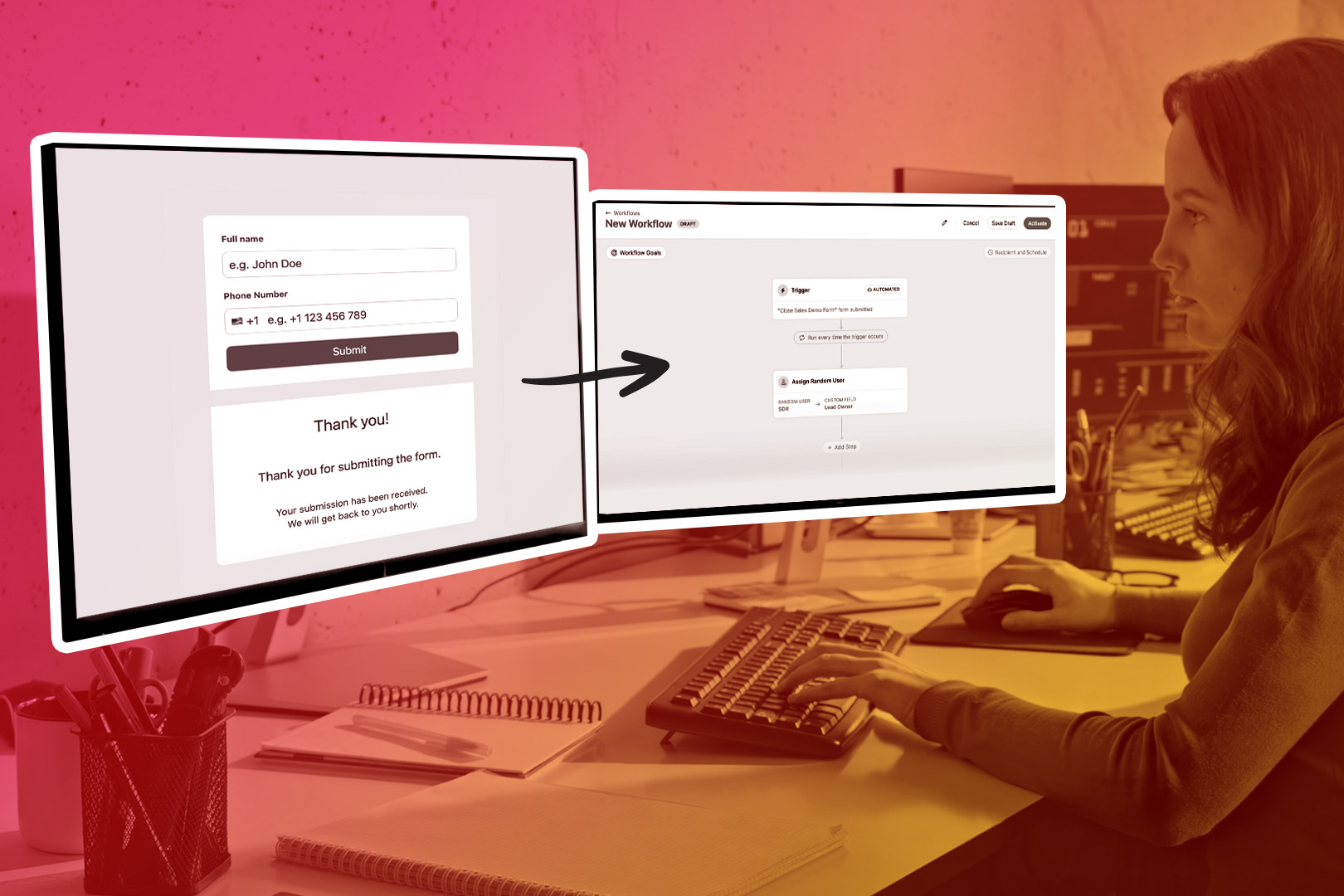
Instantly capture website leads directly into Close. Use Close’s no-code forms with instant routing, spam protection, and clean CRM data.
You can now ditch your third-party form tool and save time + money on integrating multiple systems.
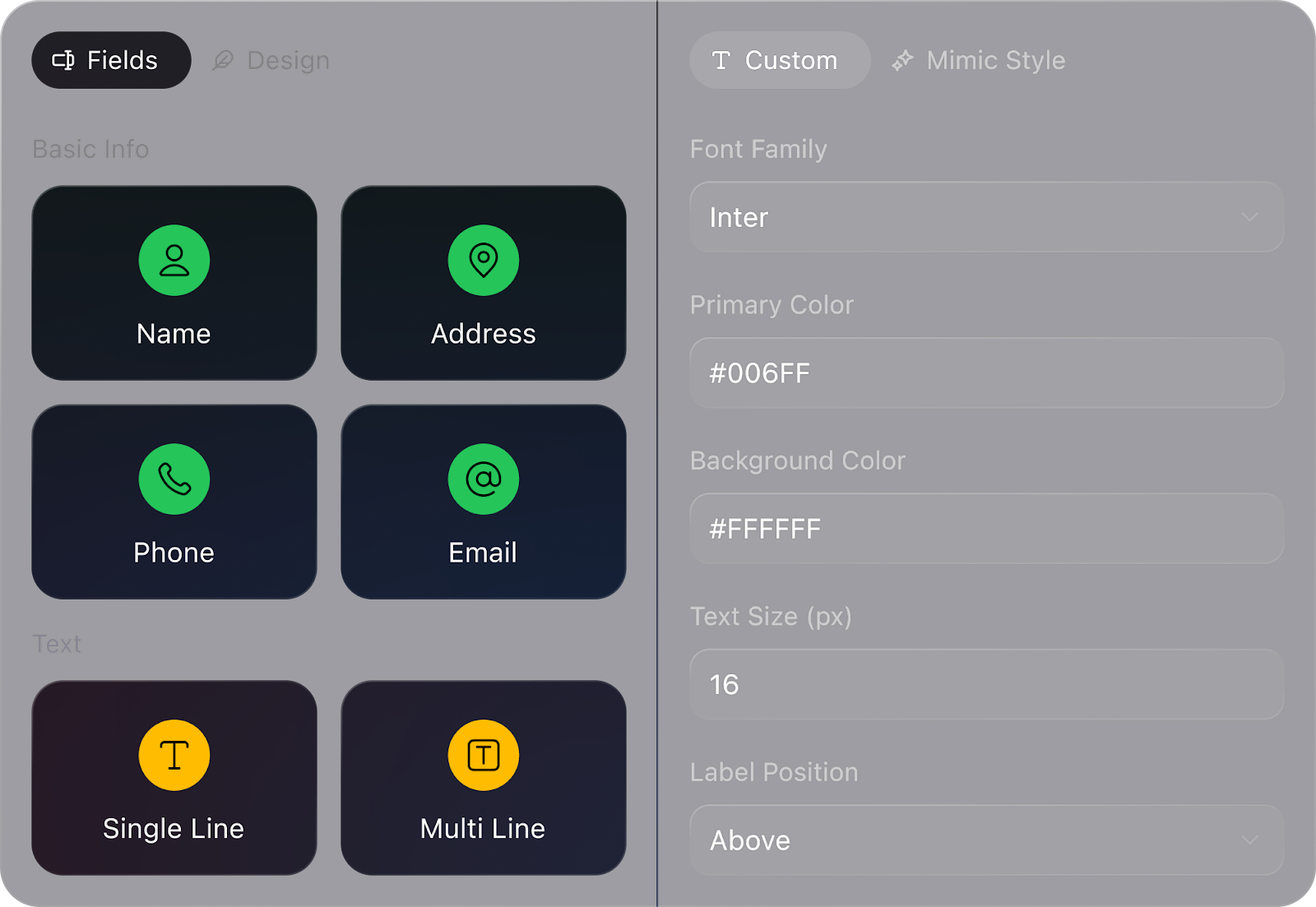
- Easy, no-code editing to match your brand
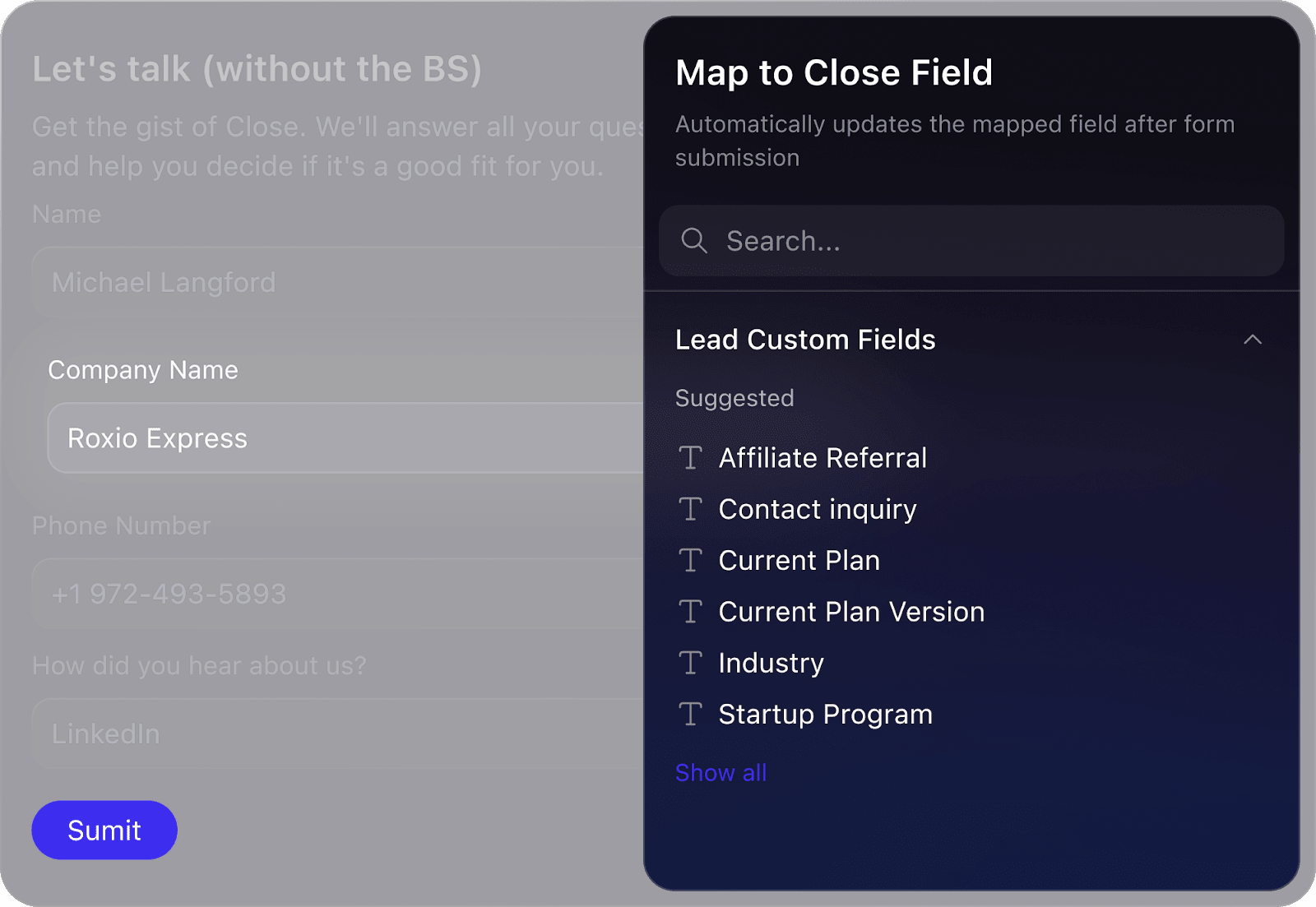
- Automatic field mapping and Workflow enrollment
- Automate deduplication and compliance
Read more about Forms here and email support@close.com for access to the Beta.
A more powerful Close Inbox
The new Close Inbox is the sales command center you’ve been waiting for. If you’re still bouncing between Gmail/Outlook and your CRM, you’re leaving speed on the table.
- Potential Contacts for handling messages from people not yet in Close
- Lead & Opportunity context in every row (status, value, due dates), with inline status updates
- Hover insights so you can see key lead details without leaving the Inbox
- Richer filters by lead status, pipeline, opportunity status, and Smart Views
- Lead status colors and High Priority tasks so your most important work pops visually

WhatsApp inside Close
We took WhatsApp from duct-tape-workarounds to fully in the loop. Never let a deal slip through the cracks because your conversations are in multiple different tools.
- Native WhatsApp integration links let you jump from Close to WhatsApp Web with a single click.
- The TimelinesAI integration syncs WhatsApp conversations (including attachments) as native-looking Close activities, auto‑creates Leads when new chats come in, and matches messages by phone number.
Read more about the WhatsApp integration or watch our video below.
Updated Calendly integration
The new and improved Calendly integration makes sure booked meetings actually turn into clean CRM data. You can now:
- Auto‑create Contacts when meetings are booked (with duplicate detection)
- Use Round Robin event types with your team
- Force a refresh with a Sync button if you’ve made changes in Calendly
That means faster handoffs from “booked” to “tracked in pipeline,” with less manual data entry.
Read more about the updated Calendly integration
Quality‑of‑life wins
A few smaller—but mighty—communication upgrades:
- Docked SMS: Keep text threads visible while you work elsewhere in Close.
- Dark Mode on web & desktop.
- Pinned Notes & Custom Activities so the most important context is always at the top of the activity feed.
4. Features to enable better sales coaching & reporting
We invested heavily in surfacing the right data for managers and revenue leaders.
Activity Smart Views you can share
Activity Smart Views let you build and share views specifically on Calls, Emails, SMS, WhatsApp messages, Meetings, Notes, and Custom Activities.
Use them to:
- Create coaching queues (e.g., “all calls over 10 minutes this week”)
- Track specific moments like onboarding calls or renewals
- Give SDR/AE/CS teams activity dashboards tailored to their workflows
Cleaner reports = meaningful data
We refreshed key reporting surfaces to make trends easier to spot:
- A Saved Views page to manage all Smart Views, Conversations, and Reports from one place
- Report sharing for Activity Overview, Funnel, and more—update once, share with everyone
- An improved Activity Comparison Report with a cleaner table layout and drag‑and‑drop columns
Add in Customizable Call & Meeting Outcomes, and you get more consistent logging plus more actionable call data for reviews and coaching.
Under-the-wire bonus: New Call Reports
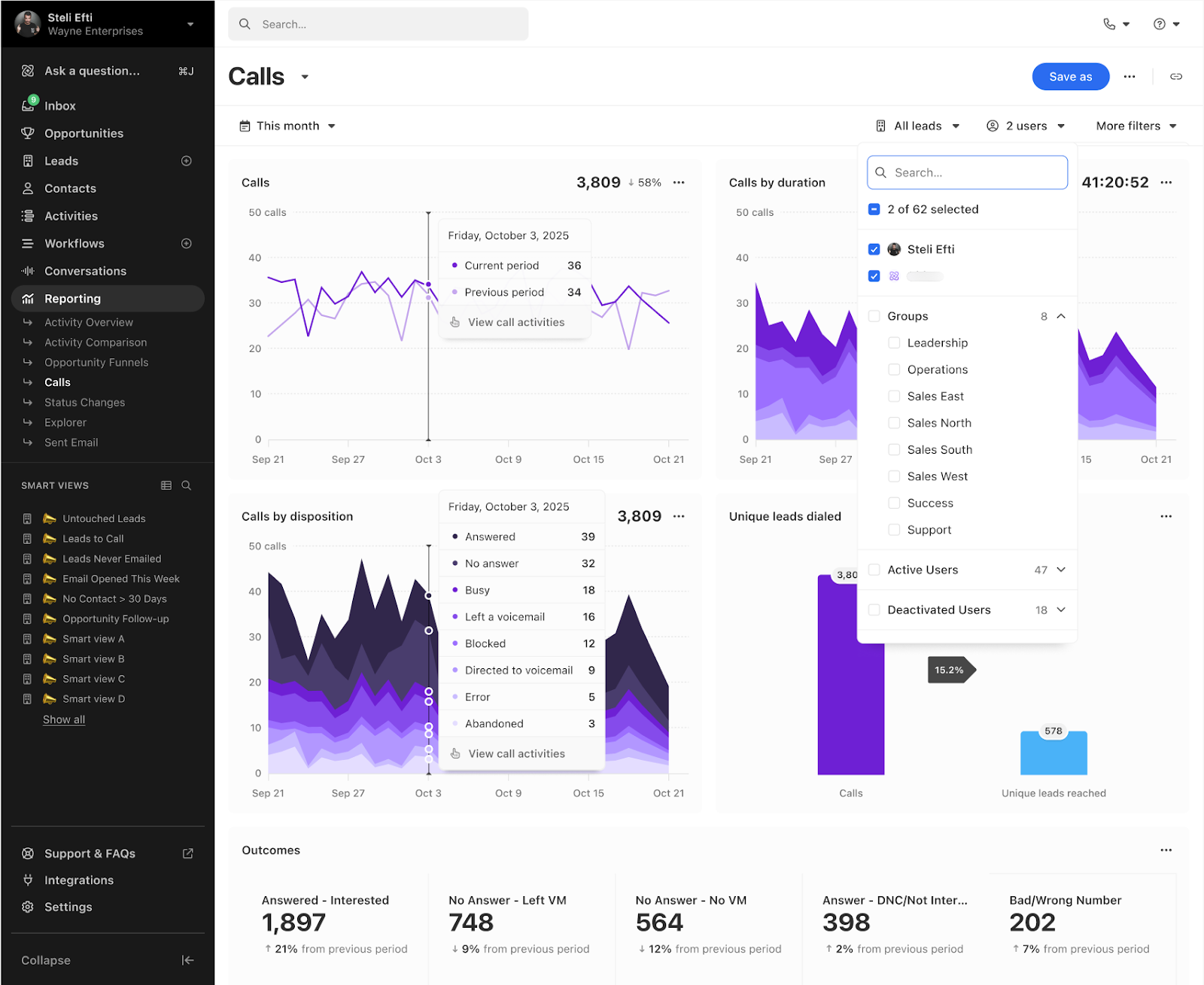
If you’re a calling-heavy team, you’ve probably felt the pain of lackluster calling reports in Close or using another system to fill our gaps. No longer!
Close’s brand‑new Call Report to give you a single, comprehensive picture of calling performance.
It helps managers quickly coach for more meaningful conversations and better connect rates by pulling together:
- Dial volume
- Talk time
- Outcomes
- Unique lead dials into one place
Think of it as the missing bridge between your dialer and your coaching plan—so you can see what’s really happening on the phones and where to focus your next improvement.
As 2026 kicks off, all of this—automation, AI, simplicity, and better reporting—adds up to a CRM that quietly carries more of the load so your team can spend more time in conversations that actually, well… close.